IPTV Player
Device Apps

IPTV Player app for phone, tablet and TV

A free IPTV and M3U player for your own playlists. Import M3U, M3U8 or Xtream Codes sources, add an EPG, and stream directly from the provider — no channels bundled, no account required.

Prefer not to install anything? Thebrowser-based playerplays the same playlists with nothing to download.

Where you can get it

IPTV Player is published on Google Play today. The iPhone, iPad and Apple TV builds are submitted and waiting on App Store review — we do not link a store page before it exists, so leave your email instead and we will tell you the day it opens.

Available now

IPTV Player for Android

Phones, tablets, Android TV and TV boxes. Import an M3U, M3U8 or Xtream Codes playlist, or scan a share QR code, and the channels are added for you.

Get it on Google Play
In review

IPTV Player for iPhone and iPad

Version 1.0 has been submitted to the App Store and is in review. Leave your email and we will tell you the day it is approved — every share link and playlist URL you use today keeps working.

Product news only. No spam. Unsubscribe in one click.

In review

IPTV Player for Apple TV

A native tvOS build is in review alongside the iPhone app, with a remote-friendly channel list built for the big screen. Join the list to hear when it lands.

Product news only. No spam. Unsubscribe in one click.

What the app does

M3U and M3U8 playlists

Paste a playlist URL or open an .m3u / .m3u8 file and the channel list is parsed on the device, groups and logos included.

Xtream Codes accounts

Add a host, username and password once and the app builds the live TV, movie and series catalog from the panel API.

EPG and now playing

Attach an XMLTV guide URL to see what is on now and next, per channel, without leaving the player.

Adaptive HLS playback

HLS and DASH streams switch quality automatically as your connection changes, with hardware decoding where the device supports it.

Favourites and groups

Pin the channels you actually watch, rename entries, fix broken logos and hide groups you never open.

Built for the TV screen too

The Android build runs on Android TV and TV boxes with a remote-friendly channel list, not just a stretched phone layout.

QR and link import

Scan a share QR code or tap a share link and the playlist is added for you — nothing to retype on a TV remote.

No account required

The app works without signing up. An optional free account only adds playlist sync between your own devices.

Inside the app

Screens from the Android app, plus the iPhone, iPad and Apple TV builds now in App Store review. The app brings the interface — the channels come from the playlist you add.

Android
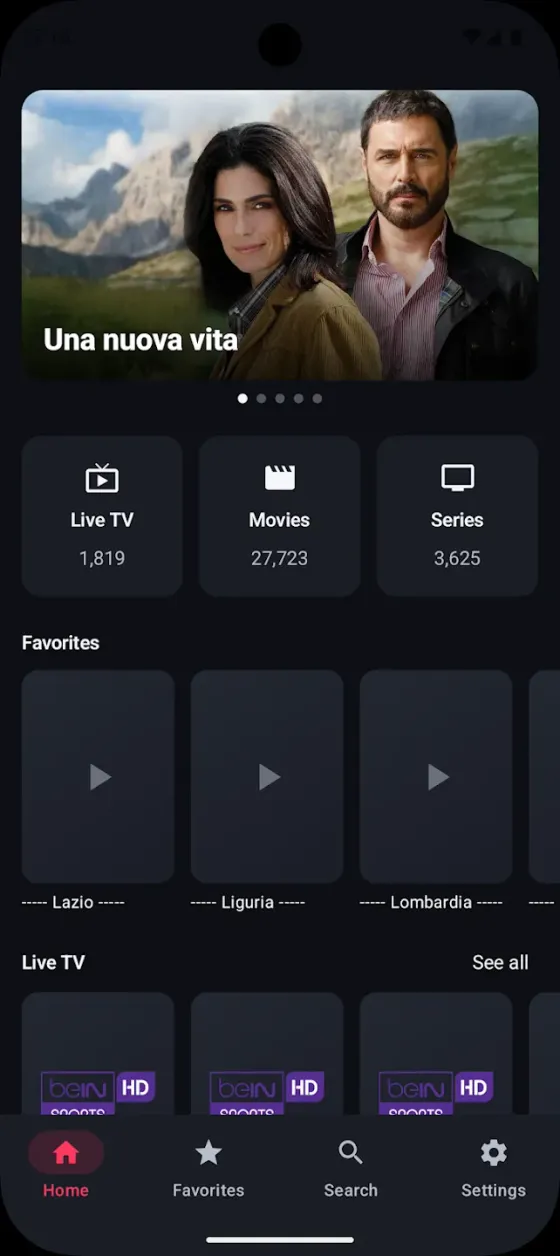
Android home screen with a featured title, channel, movie and series counts, a favourites row and a live TV row.
Home, with live TV, movies and series in one place
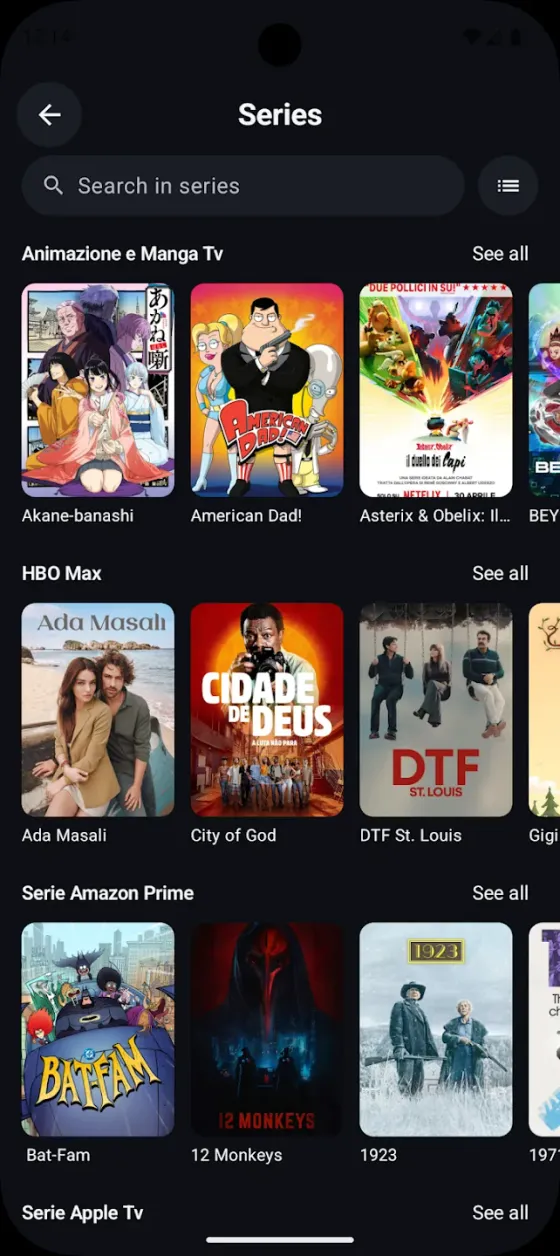
Series browser on Android with a search field and series grouped into categories, each row scrolling horizontally.
Series browser grouped by category
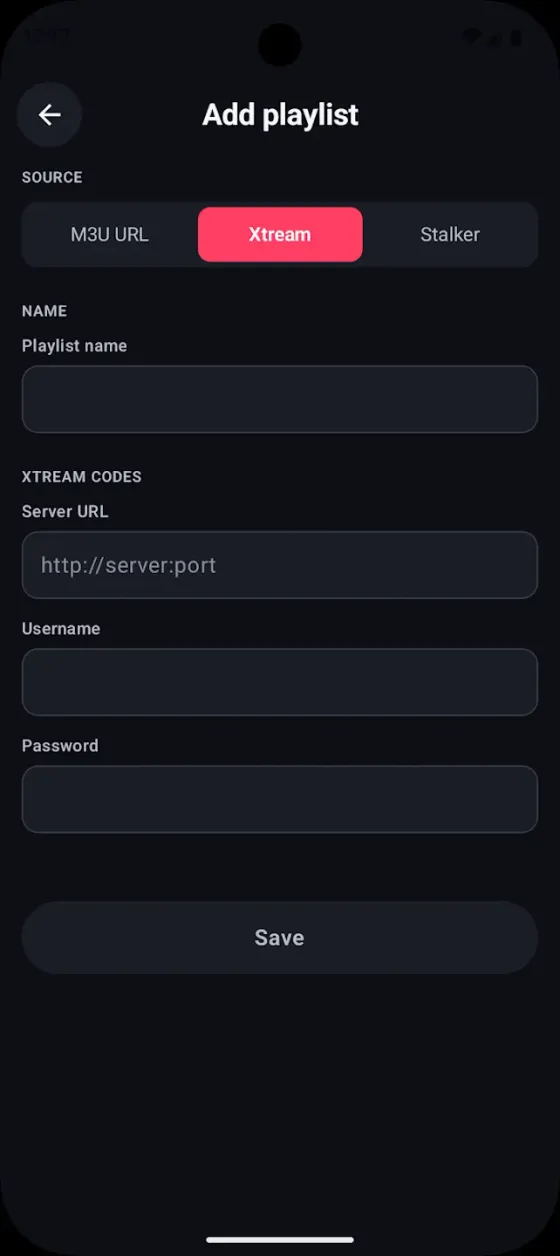
Add playlist screen on Android with M3U URL, Xtream and Stalker source tabs and fields for server URL, username and password.
Add an M3U URL, Xtream account or Stalker portal
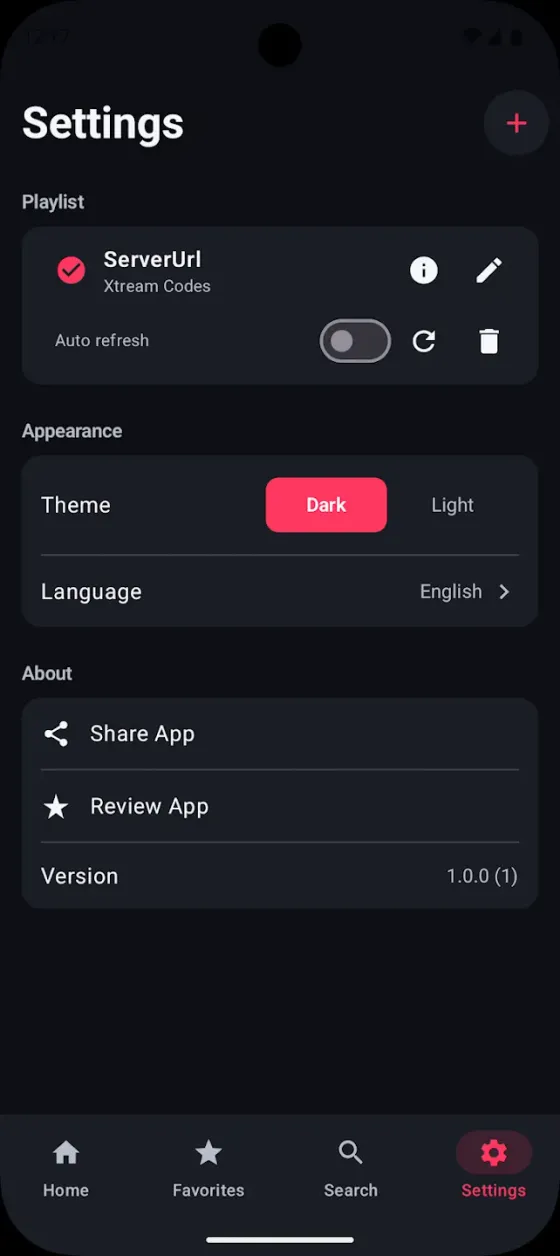
Settings screen on Android showing the active playlist with auto-refresh, a dark and light theme switch, and the language picker.
Manage sources, auto-refresh and theme

iPhone

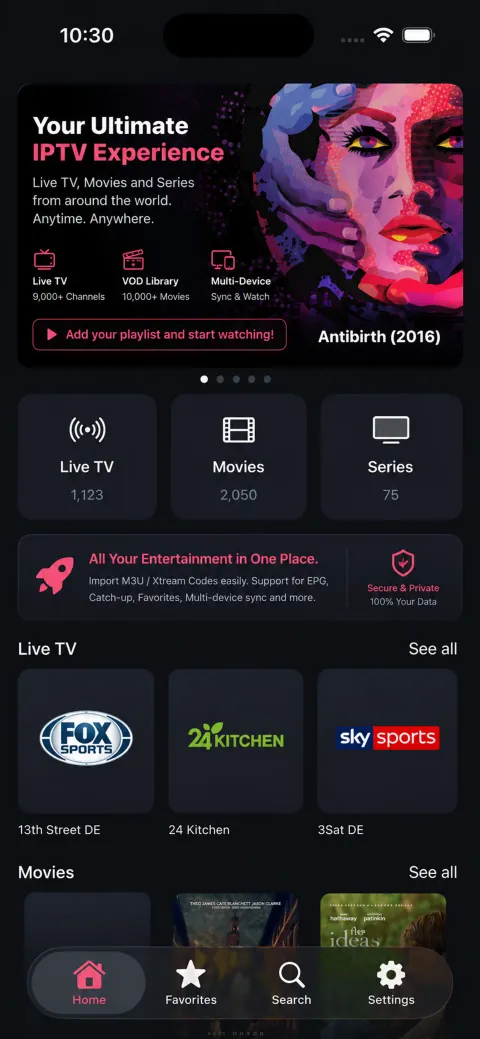
iPhone home screen with a featured banner, live TV, movie and series counts, and rows of channels and titles.
Home, with counts for every section
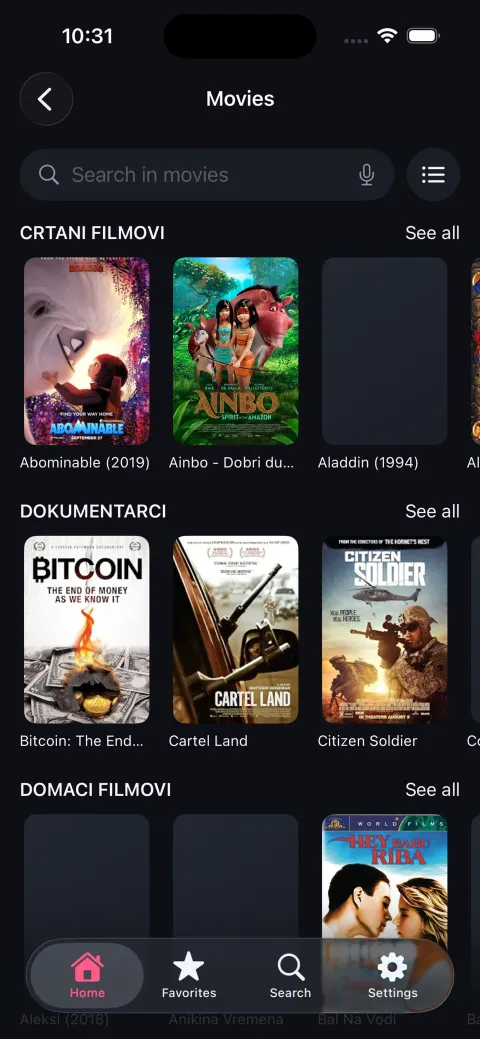
Movie library on iPhone with a search field and posters grouped into categories.
Movie library with search
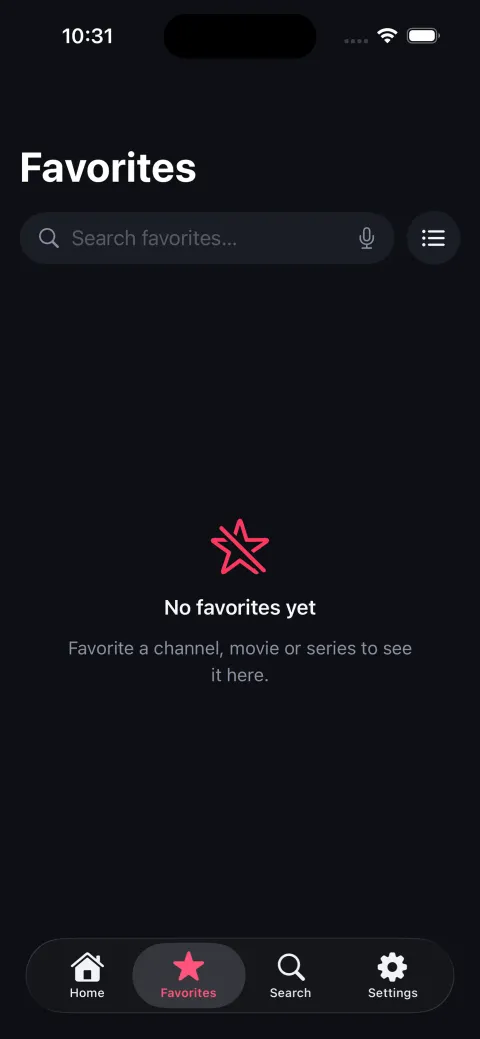
Favorites screen on iPhone with a search field and an empty state explaining that channels, movies and series can be favourited.
Favourites, searchable across channels and titles
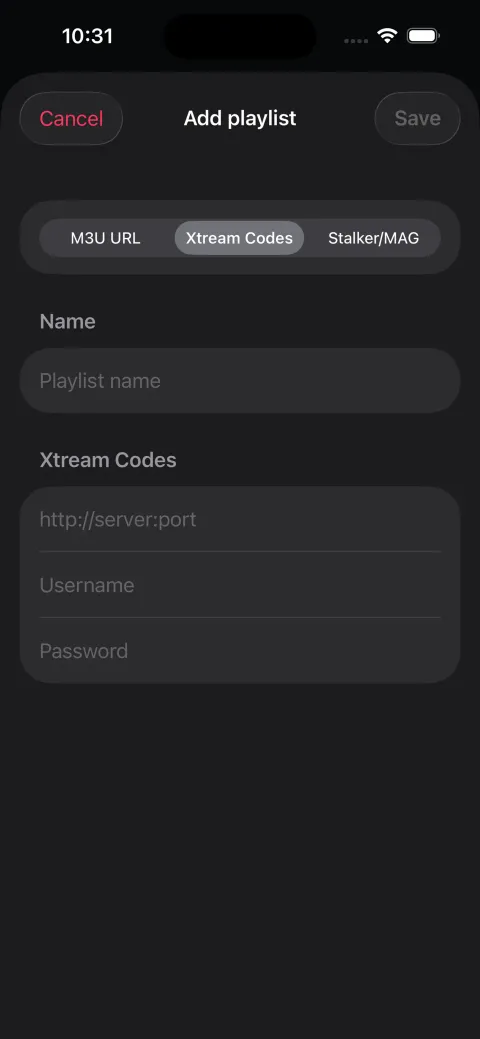
Add playlist sheet on iPhone with M3U URL, Xtream Codes and Stalker/MAG tabs and fields for server, username and password.
Add a source without leaving the app
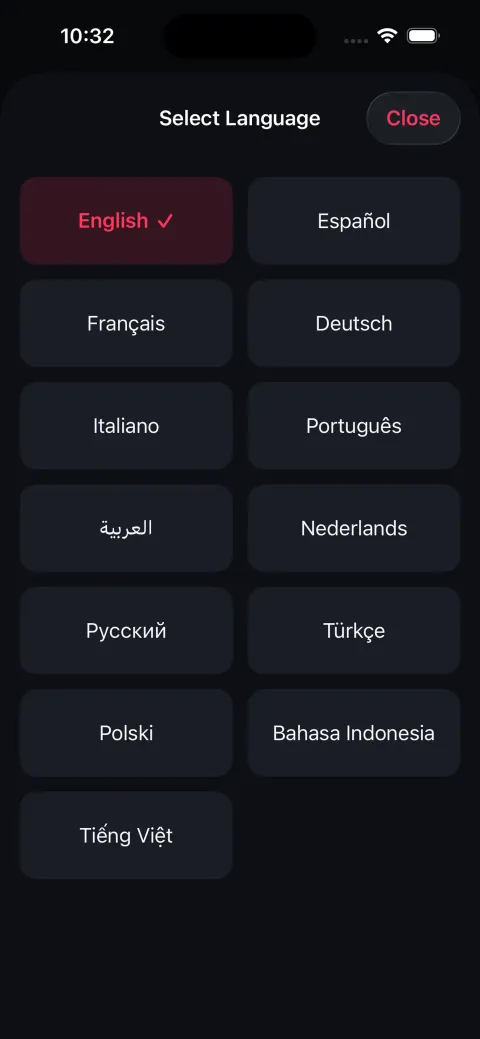
Language picker on iPhone listing English, Español, Français, Deutsch, Italiano, Português, Arabic, Nederlands, Русский, Türkçe, Polski, Bahasa Indonesia and Tiếng Việt.
Interface in 13 languages

iPad

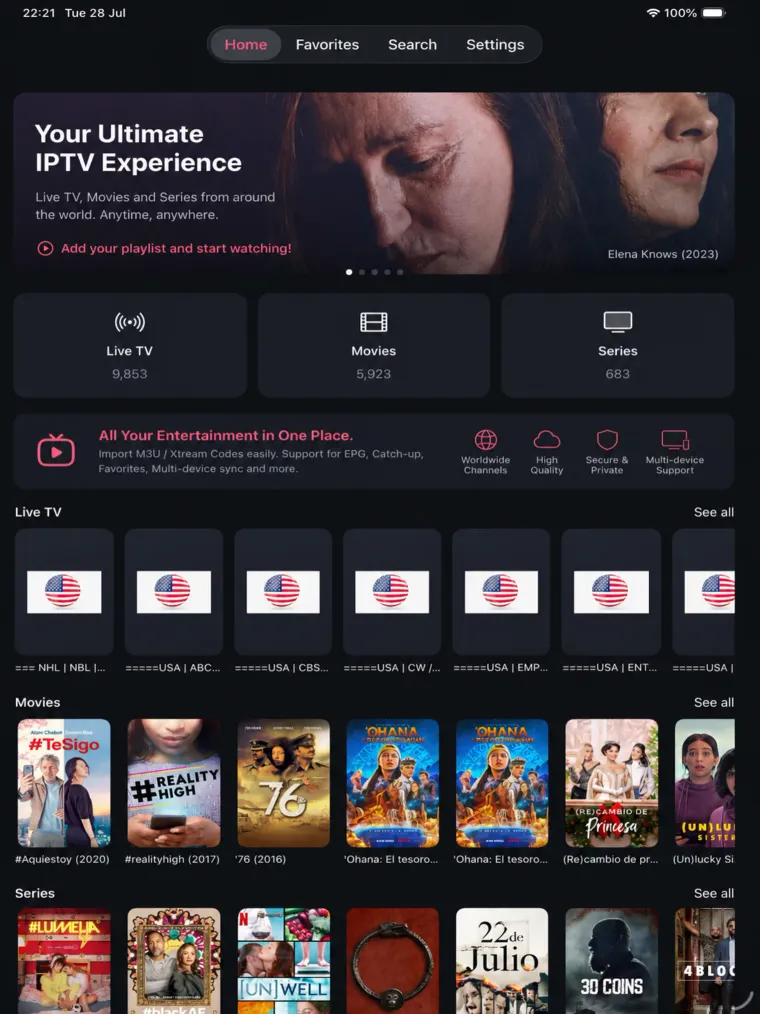
iPad home screen with a featured banner, section counts and rows for live TV, movies and series.
Home laid out for the larger screen
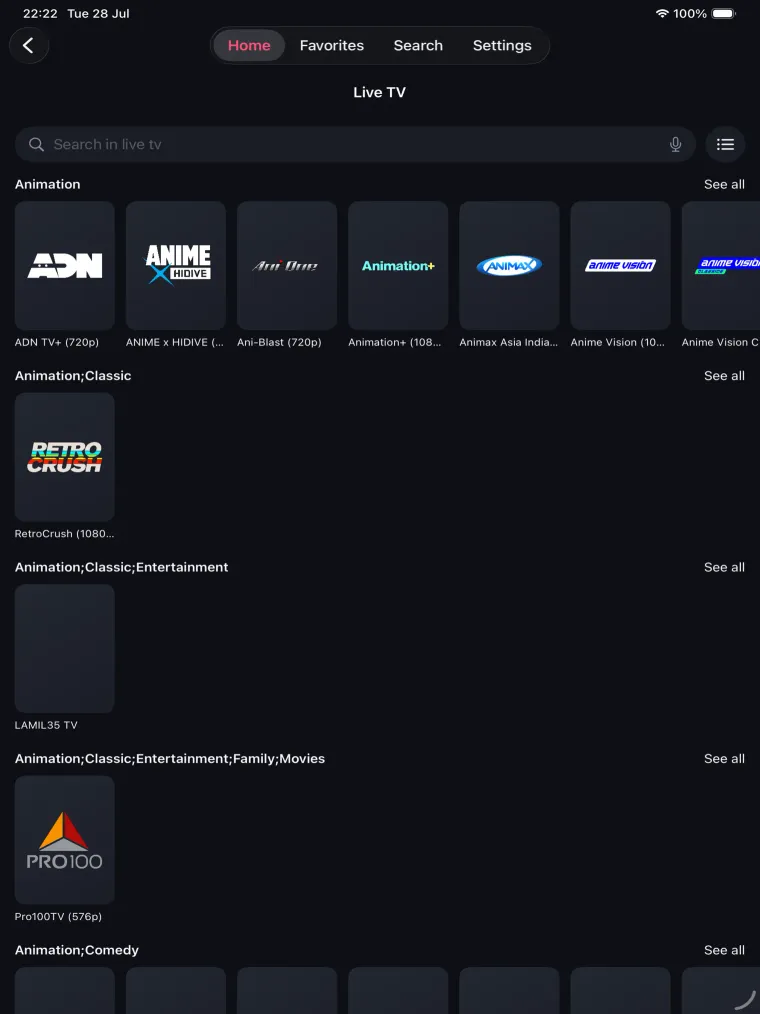
Live TV on iPad with a search field and channels grouped by category, each row scrolling horizontally.
Live TV grouped by category
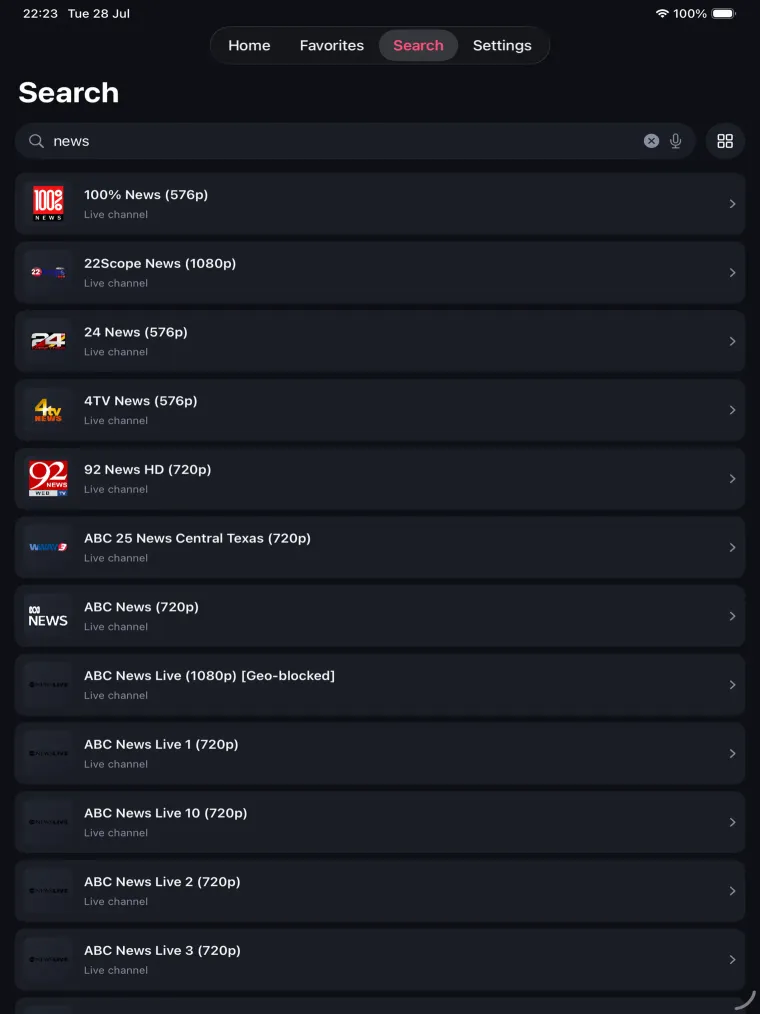
Search results on iPad listing matching live channels with their resolution and a geo-blocked marker where it applies.
Search across the whole playlist
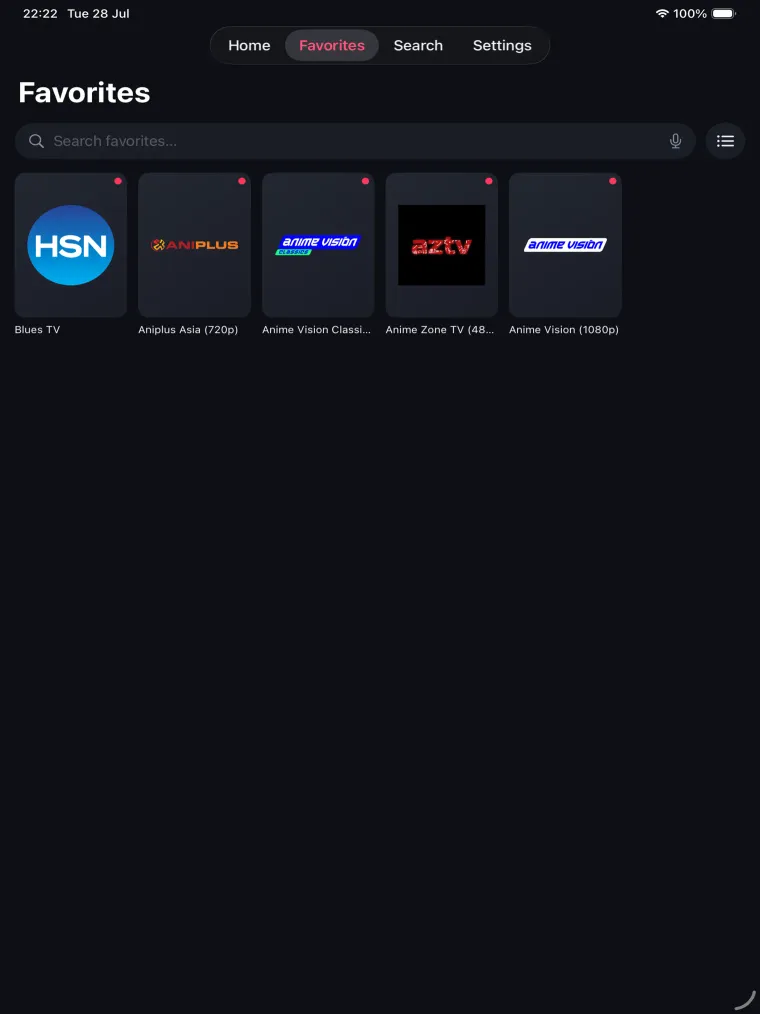
Favorites on iPad showing saved channels as tiles, each removable from the grid.
Favourites you can reorder and remove
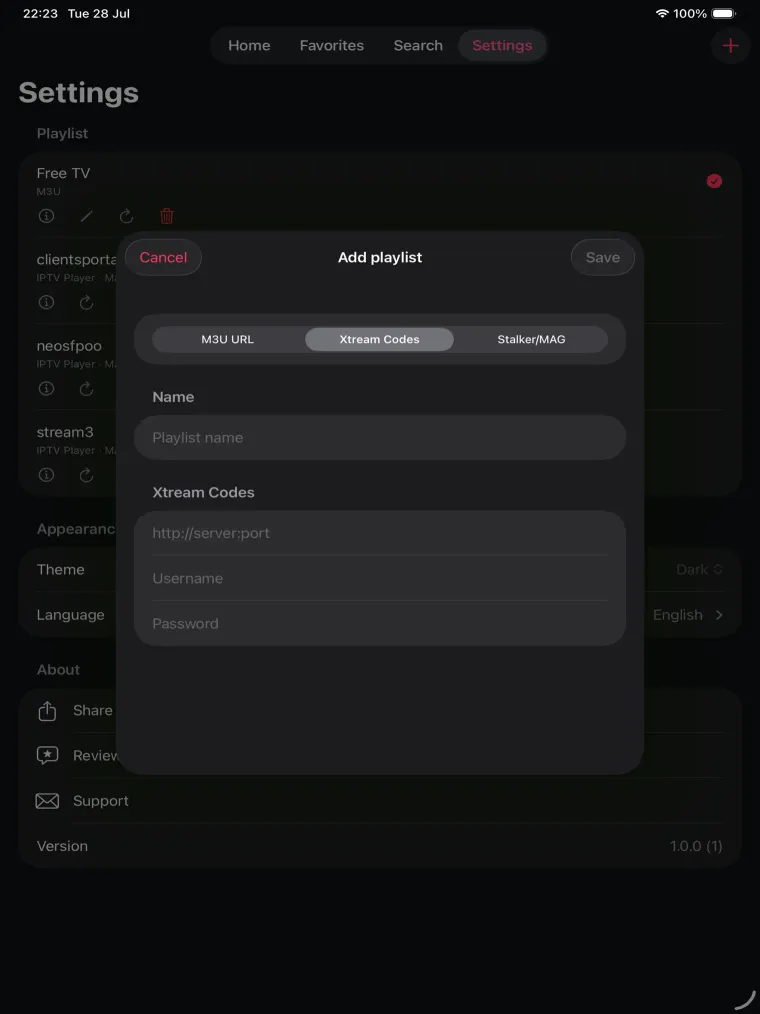
Settings on iPad with the saved playlist list behind an add-playlist sheet offering M3U URL, Xtream Codes and Stalker/MAG.
Several sources saved side by side

Apple TV

Apple TV home screen with a continue-watching banner, a play button and a recently viewed live TV row.
Continue watching, straight from the home screen
Series library on Apple TV with a category sidebar, a title and actor search field and a grid of series posters.
Series library with sidebar filters
Series detail screen on Apple TV with the poster, genres, synopsis, a favourite button, season selector and the first episode ready to play.
Season and episode detail, one click to play
Settings screen on Apple TV showing the active playlist source alongside theme, language and Apple player preferences.
Settings driven from the remote

How to add a playlist

  1. Install the app

    Install IPTV Player from Google Play on your Android phone, tablet, Android TV or TV box. It is free and no account is needed.

  2. Add a playlist

    Paste an M3U or M3U8 playlist URL, open a playlist file, or enter your Xtream Codes host, username and password. Scanning a share QR code does the same thing without typing.

  3. Start watching

    Channels load into groups with logos and, if you added a guide URL, an EPG. Streams connect straight from their own source to your device.

Adding a source on a TV remote is slow, so the app also imports from a link or QR code: see how playlist sharing works.

Free playlists you can start with

The app ships without channels. If you do not have a playlist yet, these public free-to-air channel lists are a place to start — open a country page, then send the playlist to the app.

Frequently asked questions

Is the IPTV Player app free?

Yes. The Android app is free to install from Google Play and there is no subscription to use it. It does not come with channels — you bring your own M3U playlist or Xtream account, or use one of the free public playlists listed on this site.

Is there an iPhone, iPad or Apple TV version?

Version 1.0 for iPhone, iPad and Apple TV has been submitted to the App Store and is currently in review, so it is not downloadable yet. Join the notify list on this page and we will email you the day Apple approves it. Nothing you set up today is wasted — playlists and share links are not tied to a platform.

Which playlist formats does the app support?

M3U and M3U8 playlist URLs and files, direct HLS streams, Xtream Codes accounts and XMLTV guide URLs. Stalker Portal sources can be saved to an account as well.

Does the app work on Android TV or a TV box?

Yes. The Android build supports Android TV and TV boxes with a layout you can drive from a remote. Adding the playlist by scanning a share QR code avoids typing a long URL with the on-screen keyboard.

Can I download the APK directly?

We only distribute the Android app through Google Play. That is what keeps updates signed and verifiable, so please avoid third-party APK mirrors claiming to be this app.

Do I need an account to use the app?

No. Everything works without signing up, because playlists are stored on the device. A free account is optional and only adds syncing your own saved playlists across your devices.

Does the app come with channels?

No — the app ships empty. You add your own M3U playlist or Xtream account, or start from one of the free public playlists listed on this site. Streams connect directly from the source you add and are not proxied through our servers, and you are responsible for only using sources you have the right to access.

IPTV Player is a player: streams connect directly from the source you add and are never proxied through our servers. Store availability dates are set by the app stores, not by us, so we do not promise a launch date while a build is in review.